Build estimates your whole teamcan understand and trust.
Buildiante turns quantities into a structured BOQ with consistent pricing, markups, approvals, and a clear path into scheduling and tendering.
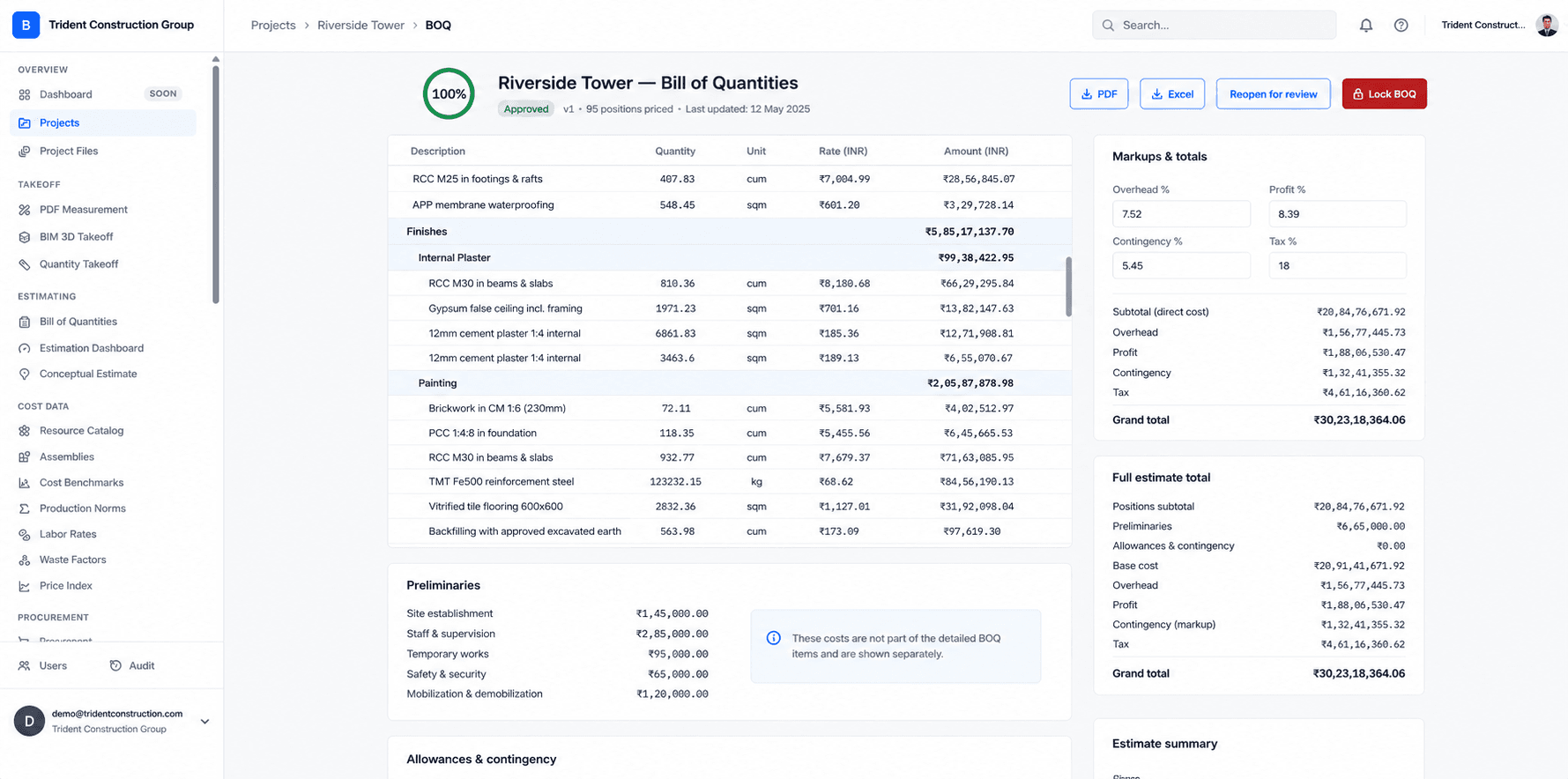
Structured BOQs
Keep sections, items, quantities, units, and rates organized in one estimate.
Consistent calculations
Apply pricing and markups through a consistent estimating workflow.
Ready for the next step
Carry the estimate forward into scheduling and subcontractor tendering.
When the estimate lives in a spreadsheet, the logic often lives in one person's head.
Complex formulas, copied cells, hidden assumptions and manual revisions make it difficult for everyone else to understand exactly how the final number was produced.
Make the estimate a shared, structured project record.
Buildiante gives your team a common structure for pricing the work, applying markups, reviewing revisions, and moving the estimate into the next stage of the project.
From quantity to approved project value.
Buildiante keeps the estimating process structured so the number your team produces can continue through the rest of the project workflow.
Structure the BOQ
Organize the estimate into sections, items, quantities, units, and rates that your team can work with consistently.
Price the work
Apply quantities and unit rates to build a complete project cost instead of relying on disconnected spreadsheet formulas.
Apply markups
Handle overhead, profit, contingency, and tax as part of the estimate rather than hidden spreadsheet calculations.
Review & approve
Keep the estimate structured and traceable as it moves through review and approval.
Everything you need to build the estimate.
Built for teams responsible for the number.
Estimators and quantity surveyors at small-to-mid contractors who currently build the Bill of Quantities in a spreadsheet — one tab per section, formulas linking rates to totals, and a markup calculation redone by hand on every revision.
Move away from spreadsheet-driven estimating.
A BOQ spreadsheet with linked-formula rate calculations, a separate markup worksheet, and a manual re-typing step whenever the estimate needs to become a schedule or a tender package.
Estimate feeds directly into the next step of the loop:
Project SchedulingBuild the number.Know where it came from.
Create your next project estimate in a structured workflow your whole team can work from.