Build a schedule that knowswhat depends on what.
Buildiante turns your project scope into a connected schedule with activities, dependencies, milestones, baselines, and progress tracking — without rebuilding the plan in another tool.
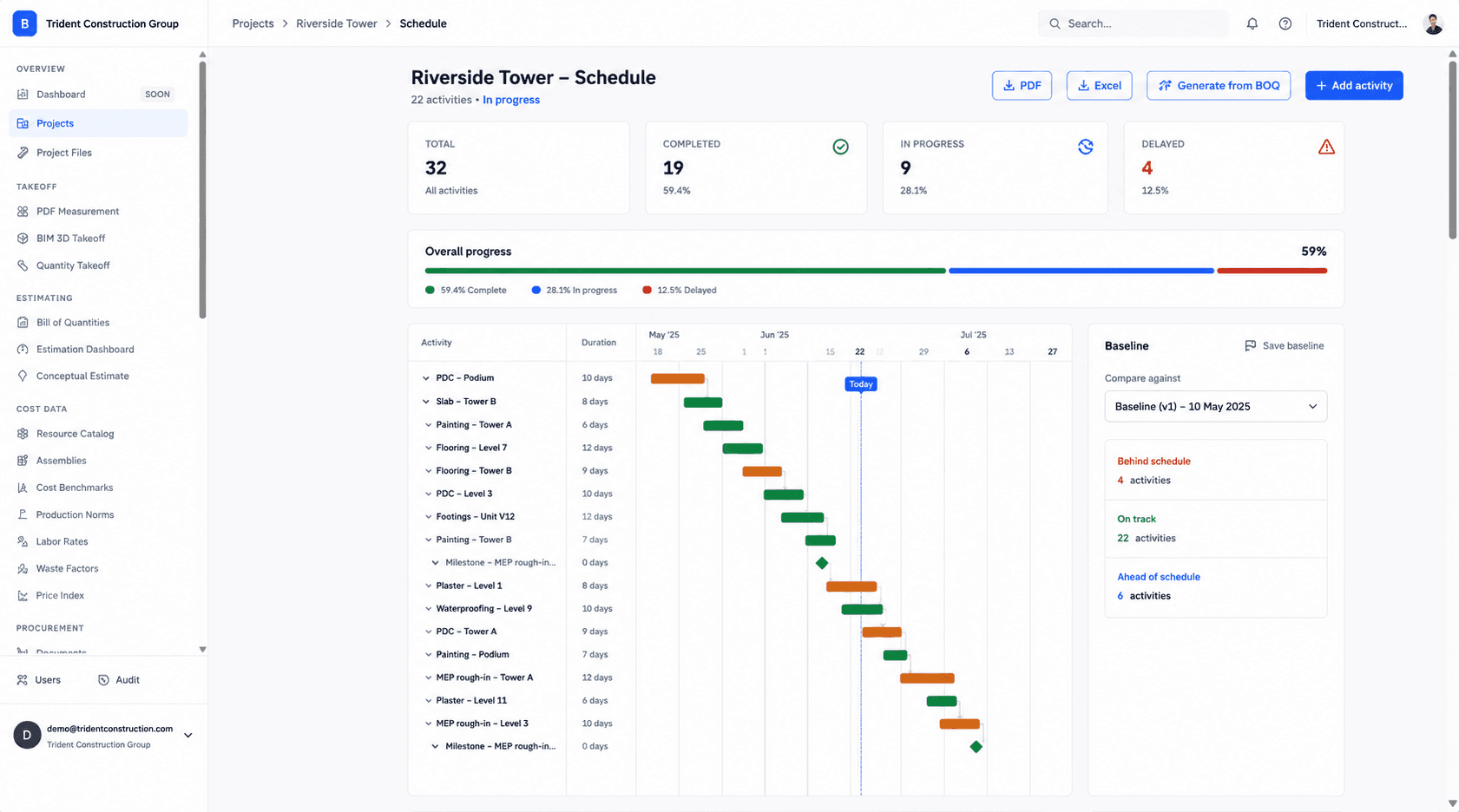
Activity-based planning
Turn project scope into activities, durations, milestones, and a plan your team can execute.
Connected dependencies
See how delays and progress in one activity affect the work that follows it.
Baseline vs actual
Keep the approved plan and compare actual progress against what was originally scheduled.
Your project scope shouldn't have to be rebuilt to create a schedule.
When the estimate and schedule live in separate tools, teams repeat the same work and lose the connection between what was priced and what is actually being built.
Make the schedule part of the project record.
Start from the work you already priced, connect the activities, establish the baseline, and track progress against a plan your team can see.
From priced scope to an executable plan.
The schedule becomes another connected part of the project rather than a separate document that has to be maintained by hand.
Build the plan
Turn project scope into activities, durations, milestones, and a schedule your team can actually execute.
Connect dependencies
Make the relationship between activities visible so downstream work moves with upstream progress.
Set the baseline
Save the approved plan so future progress can be measured against what was originally agreed.
Track progress
Update actual progress and identify delayed or at-risk activities before they become bigger problems.
Everything you need to plan the work.
Built for teams responsible for keeping projects moving.
Project managers who currently rebuild the schedule from scratch in a separate Gantt tool after the estimate is priced, instead of starting from the scope that was already broken into sections and positions.
Move away from disconnected scheduling workflows.
A standalone Gantt chart tool with no link back to the priced scope of work, plus a manual baseline-vs-actual comparison redone in a spreadsheet whenever someone asks "are we behind."
Schedule feeds directly into the next step of the loop:
Tendering & Subcontractor BidsSchedule the plan.Track what actually happens.
Build a connected project schedule from the scope you have already priced and keep it visible throughout execution.